All pricing lives in one place: Rates, under System Setting in the sidebar. The page is called Rate Engine Management, because this is the engine that prices every reservation from the rules you configure there.
The four types of rate matrix
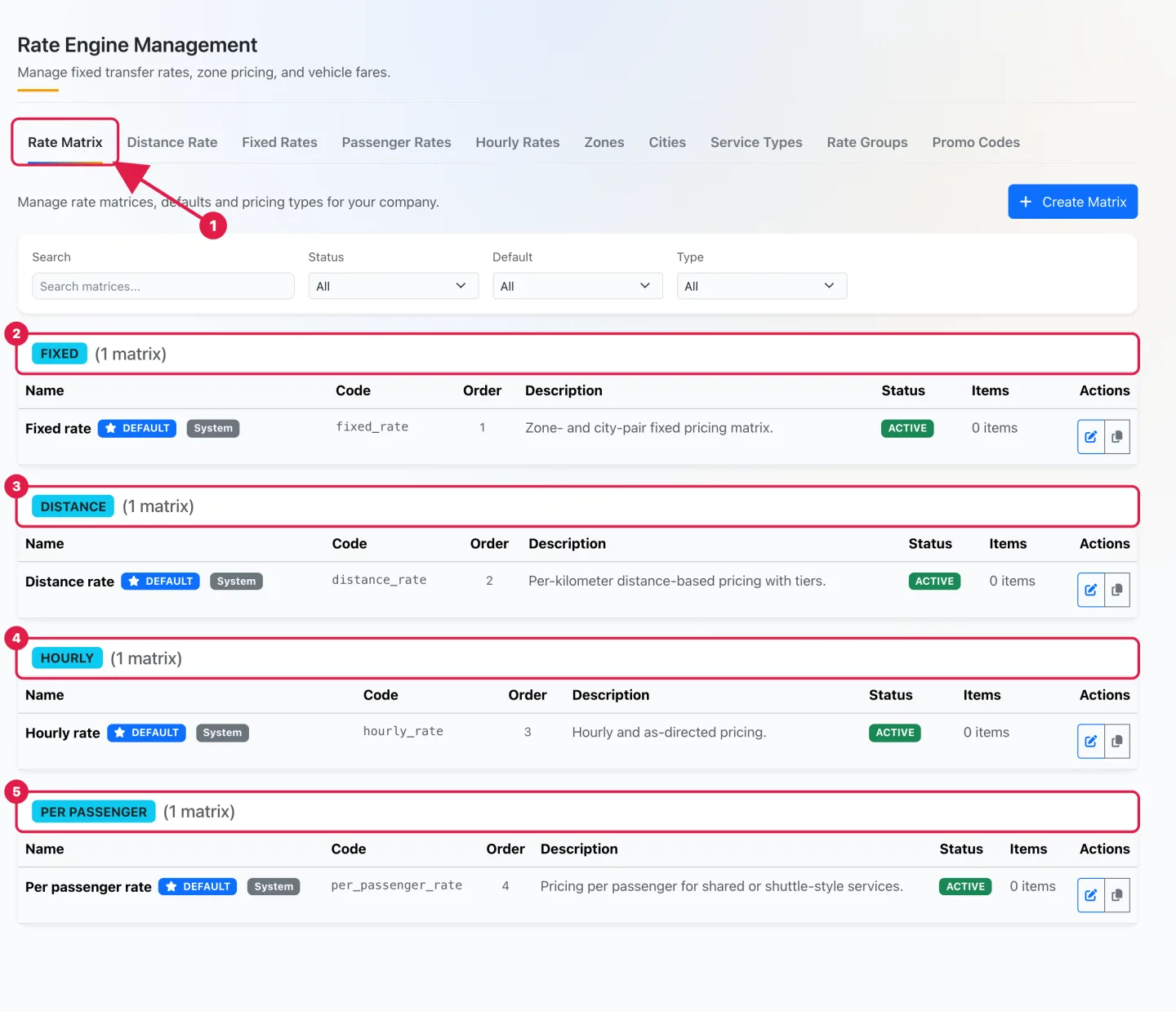
A rate matrix is a set of prices of one kind. Every workspace starts with one default matrix of each type, and you can create more from the Rate Matrix tab:
- Fixed: a fixed price between a pair of cities or zones, per vehicle type. Typical for airport transfers.
- Distance: a price per kilometer with tiers, per vehicle type. Peak-time and seasonal surcharges are configured here.
- Hourly: a rate per hour with minimum hours and included kilometers, for hourly and as-directed service.
- Per passenger: a price per seat, for shared or shuttle-style services.
The building blocks
The other tabs of the same page hold what the matrices rely on: Cities and Zones define where you operate and are the endpoints of fixed rates; Service Types classify the ride; Rate Groups and Promo Codes adjust the result. The Fixed Rates, Distance Rate, Hourly Rates and Passenger Rates tabs are where you fill in the prices of each matrix.
Which price applies to a reservation
The engine looks at the vehicle type of the ride and at the account you are booking for. An account can have its own matrices and rate rules; if it does not, the default matrix of that type is used. You never pick a price by hand unless you want to override it on the reservation.
Recommended order
Set things up in this sequence, one guide each: cities and zones first, then fixed rates, distance rates with their surcharges, hourly rates, and finally custom rates for your corporate accounts. All guides are in Rates & Pricing.