There is no self-service signup. You send a request from this website, the Pickup team prepares your private workspace and walks you through it in an onboarding and training session that is included. You receive your login during that session, and you start with a free trial: no credit card is required.
Before you start
- Have at hand: your company name and address, a business email, a phone number, where you operate (countries, cities, airports), the services you provide and your fleet size.
- Decide what you want: See a demo, Start with a plan (Base, Plus or Ultra) or Start pay as you go (no monthly fee). Plans are described on the Plans page.
Steps
1
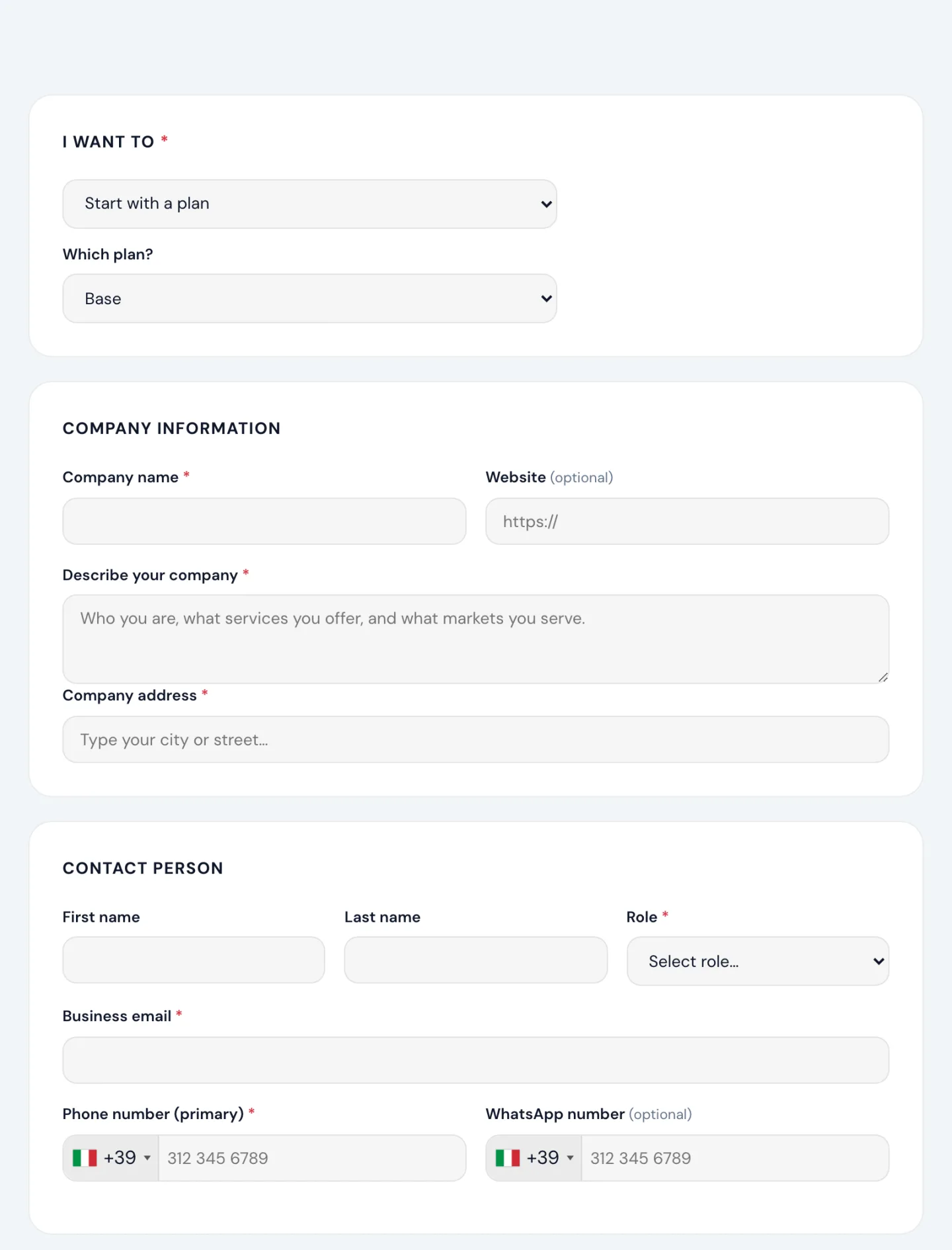
Open the Register page of this website (the Request Demo button takes you there too) and choose what you want in I want to. If you pick a plan, select it in Which plan?.
2
Fill in Company information: company name, a short description of what you do, and the company address. The website is optional.
3
Fill in Contact person: first and last name, your Role (Owner, Manager or Agent), business email and phone number. WhatsApp is optional.
4
Select the Services provided, your Coverage area (countries, cities and airports served), your Fleet size and categories, and any extra Capabilities.
5
Click Submit application. A confirmation page appears and you receive a confirmation email right away.
What happens next
- The Pickup team reviews your request and prepares your workspace.
- You receive an email titled Welcome to Pickup with a link to book your onboarding session at a time that suits you.
- During the session you set up the essentials together and receive your login. From then on you sign in to your workspace and continue with the checklist in What is Pickup Dispatch?.
Free trial and plans
Your workspace starts with a free trial and no credit card is required to begin; you are never obliged to continue. In your workspace, Plans & Addons → Plans shows what your plan includes and Billing lets you add a payment method when you decide to go on.
Good to know
- One request per company is enough: if you are not sure which plan to choose, pick See a demo and decide during the onboarding session.
- Your business email becomes your login. Use an address you check regularly: the welcome email and the onboarding invitation go there.
Questions before you sign up? Write to us from the Contact page. Once your workspace is active, support is free and unlimited from HELP → Open a ticket.